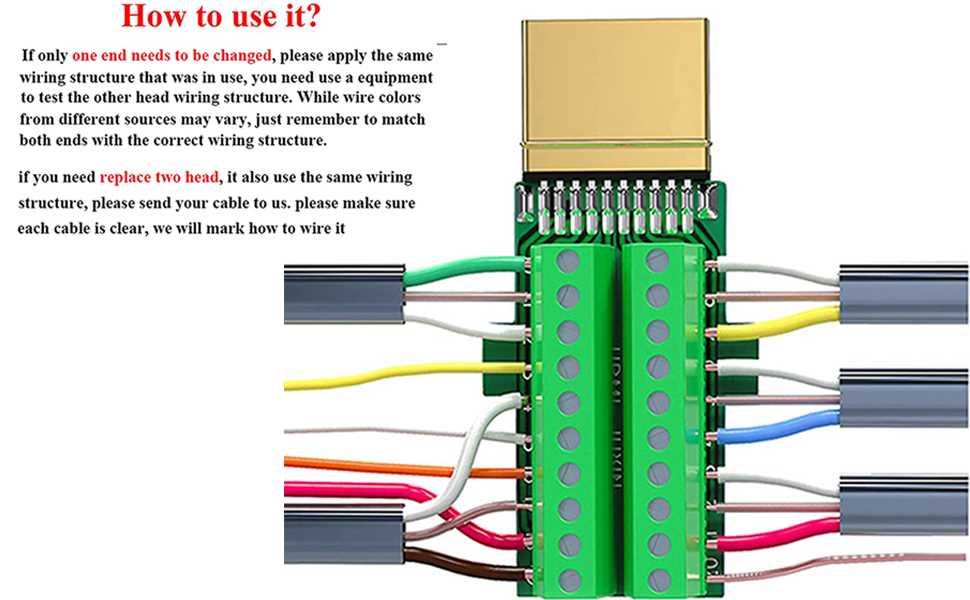
Match each conductor to its specific signal slot to prevent data errors and interference. Follow the standardized pin sequence for video, audio, and ground lines. This ensures stable transmission of high-resolution video and multi-channel audio across devices.
Test each line with a continuity meter before securing connections. Incorrect placement of data, clock, or power paths can degrade signal quality or damage components. Keep twisted pairs aligned and maintain shielding integrity to reduce electromagnetic interference.
Label both ends of the cable during assembly. Proper labeling simplifies troubleshooting and future replacements. Pay special attention to differential pairs used for high-speed transmission to ensure correct polarity and consistent performance.
Maintain cable lengths within recommended limits. Exceeding maximum distances can result in signal loss even if connections are correct. Adhere to manufacturer specifications for length limits to preserve frame rate, resolution, and overall transmission quality.
HDMI Cable Color Coding and Connection Guide
Identify each conductor by its assigned hue before making connections. Matching signal lanes to their respective slots prevents data interference and ensures proper video and audio transmission.
Group twisted pairs carefully to maintain signal integrity. Video, audio, and clock lines must be kept separate and aligned correctly to avoid crosstalk and maintain high-definition performance.
Use shielding and insulation to reduce electromagnetic interference. Keep metal braids and foil layers intact, and ensure the ground paths are continuous throughout the cable for optimal protection.
Label both ends of the connector for easy troubleshooting. Indicate lanes used for differential signals, power, and ground to simplify maintenance and future replacements.
Follow recommended routing and bend radius limits. Excessive bending or stretching can damage conductors, reduce signal quality, and lead to intermittent connections.
Check continuity and resistance before final installation. Use a multimeter to confirm that each lane is correctly linked, with minimal resistance and no short circuits between pairs.
Maintain consistent pairing for high-speed differential lanes. Correct pairing ensures synchronization of video frames and multi-channel audio, preserving overall transmission stability and fidelity.
Identifying HDMI Pin Functions and Corresponding Wire Colors
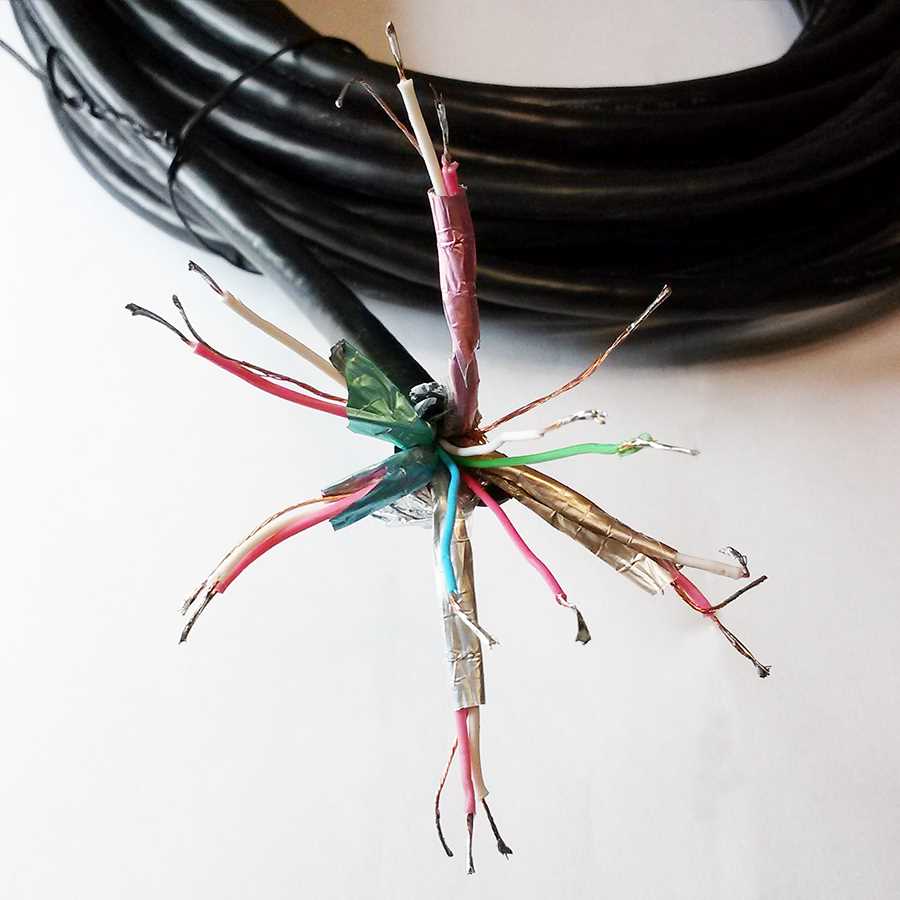
Begin by labeling each terminal according to its role in signal transfer. Data lanes, clock lines, and control signals must be clearly distinguished to avoid misconnection and maintain full compatibility with connected devices.
Separate high-speed differential pairs from auxiliary paths. Video and audio signals travel through dedicated pairs that require correct orientation for reliable transmission without interference.
Identify the power and ground pins carefully. Supply lines deliver 5 volts to the receiver and must be connected to the proper terminal, while shielding and ground connections ensure minimal signal degradation.
Use a reference chart to match pins with corresponding conductor markings. Each lane has a standardized identification, making it easier to maintain uniformity across different assemblies and connectors.
Inspect the clock lane for continuity and proper pairing. The timing reference dictates frame synchronization for video, and any mismatch can cause flickering or loss of signal integrity.
Mark auxiliary and data channels separately from main signal lines. These include consumer electronics control (CEC) and display data channels (DDC) which manage device communication and EDID exchange.
Verify each pin connection using a multimeter or continuity tester. Confirm that each conductor is correctly aligned with its designated terminal and there are no short circuits or misalignments.
Document pin assignments and conductor groupings for future maintenance. Keeping an accurate record of signal paths prevents confusion during upgrades, repairs, or troubleshooting in complex multimedia setups.